
NinjaSite.AI combines more than 40 AI models, specialized agents, and tools for research, writing, coding, image generation, and file analysis in one workspace. Its Deep Research, Fast Search, SuperNinja, GitHub integration, and templates support varied professional workflows.
The review notes that output quality, feature access, file limits, and pricing vary by plan and source snapshot. Prospective users should verify current terms, test representative tasks, review citations and generated code, and compare the platform with specialized alternatives.
NinjaSite.AI Review: What You Need to Know Before Buying
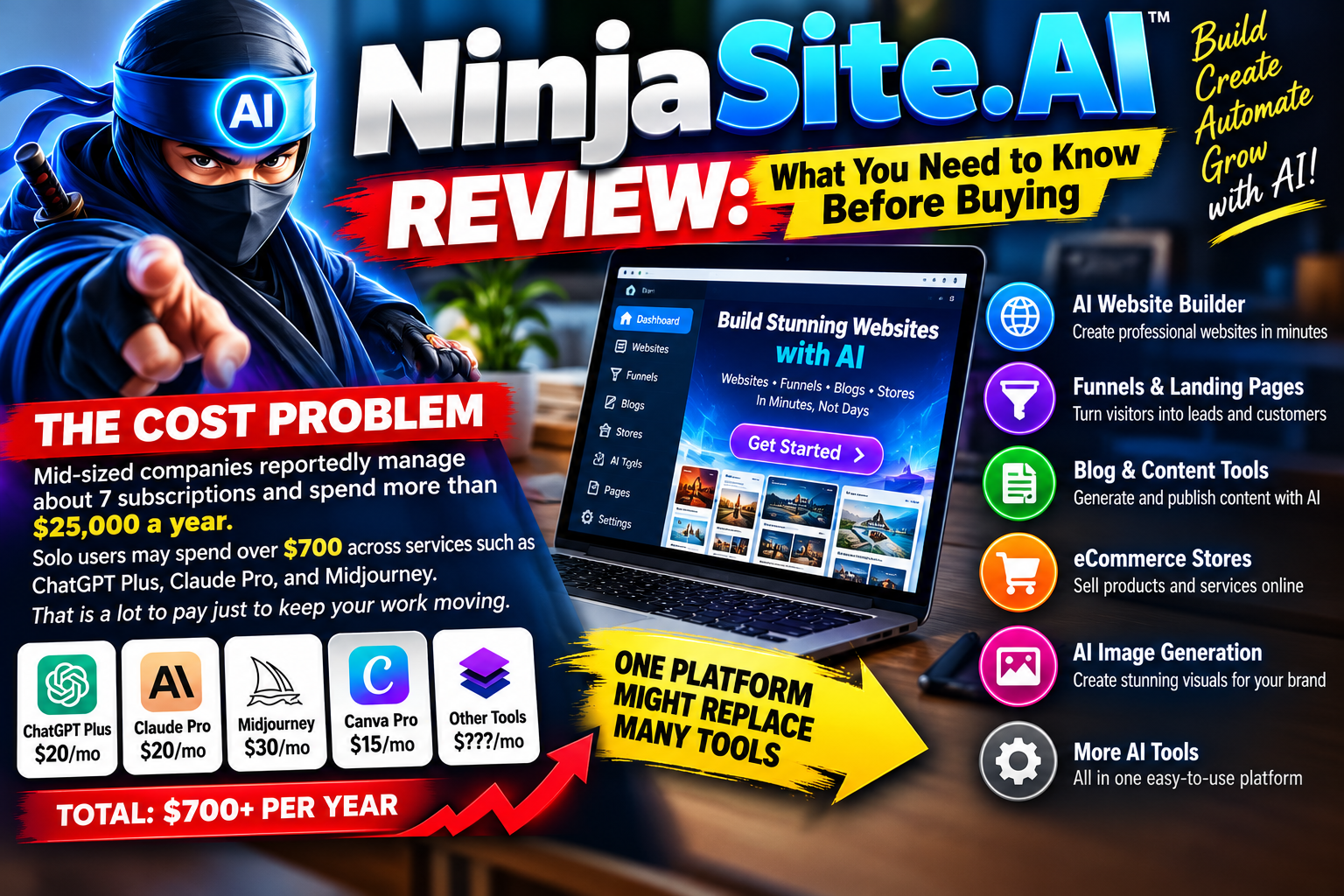
When your work depends on digital tools, subscription costs can creep up before you notice. Mid-sized companies reportedly manage about seven subscriptions and spend more than $25,000 a year. Solo users may spend over $700 across services such as ChatGPT Plus, Claude Pro, and Midjourney. That is a lot to pay just to keep your work moving. In this NinjaSite.AI Review, we’ll look at how one platform might help streamline costs and digital tools for professionals.
Ninja reportedly brings more than 40 integrated models into one platform. That range may help you simplify your workflow, but a long feature list does not prove a service fits your needs. This review looks at practical factors, including research, writing, coding, image generation, file handling, pricing, and output quality. It also considers how the platform handles sources, deep research, and prompt-based tasks.
Plan names and prices differ across source snapshots, so confirm current terms before you subscribe. The goal is simple: help you decide whether these tools can support your work and create useful content without adding more cost or friction.

NinjaSite.AI Review
Key Takeaways
- Subscription costs can add up for teams and solo users.
- Ninja offers more than 40 integrated models.
- Feature range alone cannot show if it suits your work.
- Compare research, writing, coding, and image tools.
- Check current plans and prices before buying.
NinjaSite.AI Review: Quick Verdict
Ninja may fit content creators, developers, and professionals who want research, writing, coding, and image tools in one platform. Its range of features could cut down on app switching, but your results depend on task fit and output quality.
A broad feature list is a starting point, not proof of fit.
Who may benefit most
Use Ninja if you handle varied work and value a single workspace. It may help users who need deep research, file support, and creative tools. Check whether its interface suits your daily use cases before you commit.
What to verify before subscribing
Plan details differ across source snapshots. One lists Starter at $16 per year; another lists Pro at $15 per month. The free allowance also varies between five and 10 daily tasks. One source reports a seven-day trial with no card required, but confirm current access and limits.
- Compare listed tools with your actual tasks.
- Check the current price, plan limits, and trial terms.
- Test the features you expect to use most.
For users weighing subscriptions, a direct comparison of your needs against the current offer can help you choose with confidence.
What Is Ninja AI?
Ninja AI is a platform that brings specialized agents and foundation models into one workspace. Instead of relying on one chatbot, it combines different methods to handle tasks that may need more than one skill. This compound approach can support research, analysis, and creative work. The setup lets you access multiple models, though a single model may still suit a focused task.
NinjaTech Labs created SuperNinja as an autonomous assistant. It plans and carries out work inside a secure virtual computer powered by Cerebras. Its capabilities offer users several ways to get started, while plan terms may affect which agents and models you can use.
Choose a work mode for your task
The workspace includes four modes. Deep Research supports in-depth inquiry, while Deep Coder focuses on coding. Image (Beta) handles image tasks, and Chat offers a general conversation path. These tools give you a clear starting point for varied work.
Pick the work path that fits your goal, not just the one you know best.
| Mode | Best suited for |
| Deep Research | In-depth inquiry and findings |
| Deep Coder | Coding tasks |
| Image (Beta) | Image work |
| Chat | General questions and conversation |
Ninja AI Features for Research, Writing, and Everyday Tasks
Ninja features can help you move from a blank page to a clear next step. The platform offers more than 16 specialized agents, including a File Analyst and Code Generator. Each tool can guide a different task, from coding and file review to scheduling.
Specialized agents and ready-to-use templates
The template gallery groups editable examples into five areas: Create, Analyze Data, Research, Code, and Image. You might start with an SEO guide, an Excel media list, a research report, or a website template. These starting points can save setup time while leaving room to shape the content around your needs.
Prompt improvement and workflow tools
If your request feels vague, Improve Prompt can refine the wording before you run it. The Revert option restores your original prompt, so you stay in control. Use this tool to clarify goals for writing, image generation, or other work and tasks.
These features can make daily choices easier, especially when you compare tools like a general chat tool with focused agents. However, specialized tools and Deep Research access may depend on your plan, so check availability before you rely on them. Better instructions can support more useful results without locking you into one approach.
Access to Multiple AI Models in One Platform
A wide model library gives you more ways to approach a task. Source snapshots list more than 40 or more than 45 models, so the count may vary over time. Examples include GPT-5, Claude Opus 4.1, Gemini 2.5 Pro, DeepSeek, Llama 3.1, GLM 4.6, and Qwen 480B.
Choose a model that fits your task
You can access multiple models in one place, then match different models to different needs. A coding-focused option may help with software work, while a reasoning model may suit analysis or research. For deep research, test which choice gives you clear, useful results.👉 Explore Ninja AI Today
Compare results before you settle
Run the same prompt through a few options. Check accuracy, tone, structure, and overall quality. This simple comparison can show which model fits your work better than a familiar name alone. Your best choice depends on the task, not the label.
Specific access may depend on your plan. Before you build a routine around these tools, confirm which models your tier includes. That step helps users avoid surprises and make the most of the platform.
Deep Research and Fast Search Capabilities
Good research starts with a question, but strong decisions need a trail you can check. For complex tasks, Deep Research can plan an approach, consult multiple sources, then shape its findings into a structured report with citations.
When to use cited reports
A smart-ring market analysis for products under $300 offers a practical example. In one test, Ninja AI returned a structured report with sources and citations. That can help when your analysis needs a clear basis, though you should still check source quality and verify key claims. Deep Research suits work where evidence matters more than speed.
Full Deep Research access may be limited on lower tiers, and complex use may require an upgrade. Confirm your plan before you build a workflow around it. Users may also want to test how it handles a file or other inputs before relying on the output.
Where Fast Search fits into your workflow
Fast Search is a quicker tool for summaries, comparisons, and trend checks. It can draw on written sources and video transcripts, giving you a readable overview. Choose it when speed matters; choose Deep Research when you need cited findings. Both options can support your content tasks, but the right choice depends on the level of detail and quality you need.
SuperNinja Autonomous Agent: What It Can Do
Some projects need action, not just a useful reply. SuperNinja can break a prompt into steps, then work inside a secure virtual computer powered by Cerebras. The source reports processing speeds of up to 3,000 tokens per second. Treat that as a reported peak, not a promise for every task.
Turn a request into a working result
Choose a dashboard mode to match your workflow: Deep Research for research and analysis, Deep Coder for code, Image (Beta) for visual work, or Chat for general questions. These features give users several ways to handle different use cases on one platform.
A task complexity slider lets you favor a quicker run or a more detailed plan. In a finance-dashboard test, the assistant created files, added working transaction controls, and deployed a link in one run. That example shows how an agent can connect tools and tasks, though you should still check each result. If you use Ninja, start with a clear goal and choose the level of detail your work needs.
Content Creation, Image Generation, and File Analysis
Your creative work may involve more than a blank page. Ninja brings document analysis, image tools, and structured content tasks into one workspace, so you can move from source material to a usable draft.
Working with documents, spreadsheets, and other uploads
One source says you can upload PDFs, Word documents, Excel spreadsheets, images, and code files for analysis within a project. The listed limits vary by plan: Pro supports up to 150,000 words, while Ultra allows up to 750,000. Confirm current limits before adding a large collection.
Check the upload cap before you build a workflow around a file.
Generating images and structured content
A separate plan snapshot lists image generation at 720p on Basic, 1080p on Pro, and up to 2K on Ultra. These terms may change. Some image-editing features are still developing, so verify access if advanced edits matter to your work.
For a structured result, a Fast Deep Coder test built a finance dashboard with HTML, CSS, JavaScript, charts, and localStorage persistence. That example shows how a prompt can produce more than prose. Review the output and test each feature before using it in a live project.
“A useful first draft gives you a stronger place to begin.”
Code Generation and GitHub Integration
SuperNinja’s GitHub integration can create code, debug issues, review pull requests, and draft contextual commit messages, according to the source. Connecting a repository gives the coding agent project context. Still, review every suggested change before you merge or deploy it. That check helps you catch errors and protect your workflow.
Build and debug projects with an AI coding assistant
In a finance-dashboard test, Fast Deep Coder turned one natural-language prompt into HTML, CSS, and JavaScript files. The coding tool added transaction controls, responsive charts, and localStorage support to keep data in the browser. It also created a live link. This example shows how code generation can move a task from writing to a working result.
The test had limits: data checks were basic, design choices were sparse, and no backend connected the dashboard to a server. Use the platform for a first pass, then test the output and add what your project needs. Your coding plan should account for these gaps.
| Capability | Test result | What to check |
| GitHub code tools | Creation, debugging, review, and commit messages | Review changes before merging |
| Dashboard coding | HTML, CSS, JavaScript, charts, and browser storage | Validate data and test on mobile |
| Deployment | Automatically generated live link | Confirm features before sharing |
Ease of Use, Interface, and Setup
Getting started is designed to be simple. Ninja offers a web-based interface that groups tools by task, so you can find a place to begin. Sign up, choose a category, enter a request, select a model if one is available, and review the result.

A sleek, modern ninja-themed dashboard interface set against a stylish tech workspace. In the foreground, a high-resolution monitor displays a user-friendly navigation panel with vibrant icons and graphs representing analytics. The middle ground features a minimalist desk with smart gadgets, including a laptop and a digital notepad, enhancing the productivity vibe. The background includes soft ambient lighting, with a hint of futuristic city skyline visible through large windows, casting warm, inviting soft shadows. The composition should evoke a sense of ease and efficiency, employing a wide-angle lens to capture the entire setup, creating a balanced and engaging atmosphere that suggests seamless usability.
Find a clear starting point
The dashboard interface helps you move between writing, research, coding, image work, and file analysis. SuperNinja separates work into four modes:
- Deep Research: Explore a question.
- Deep Coder: Work on code.
- Image (Beta): Create visual content.
- Chat: Ask general questions.
The range of features may feel like a lot when you are new. Reported tooltips and FAQs can guide you as you learn. Start with a template or a specific prompt, then explore advanced controls as your workflow grows. For each task, keep your request clear and check the output before you rely on it. A focused plan makes the space easier to navigate for every user, from first-time users to experienced creators.
Ninja AI Pricing, Plans, and Access Limits
Ninja pricing snapshots show different tiers and limits, so treat them as separate reports, not one current rate card. The difference can affect your budget and daily workflow.
Compare plan details and reported limits
One snapshot lists Basic as free with 5 tasks per day. It prices Starter at $16 per year, Professional at $24 per year, Advanced at $41 per year, and Elite at $124 per year. Deep Research appears on the Advanced and Elite plans.
A separate snapshot lists free Basic with 10 tasks per day, Pro at $15 per month, and Ultra at $30 per month. It reports image resolution up to 2K on Ultra, plus file limits of 150,000 words on Pro and 750,000 words on Ultra. These differences make ninja pricing hard to compare without checking dates and terms.
Verify terms before you buy
Check Ninja AI’s official pricing page before choosing a plan. Confirm the price and billing period, tasks per day, model access, and feature availability. Match each plan to your research, file analysis, and other tools. A clear check helps you choose a subscription that fits your needs, not just the lowest listed price.
Ninja AI Pros, Limitations, and Output Quality
A strong creative platform should turn scattered work into dependable results. Ninja brings research, writing, coding, image generation, and file analysis tools into one place. That mix may reduce app switching and the need for several subscriptions.
Where one workspace can save time
You can move from a prompt to content, then use different models for new tasks. These ninja features may help users keep a smoother workflow. Still, the right tool depends on your goals, and each model can produce different results.
Trade-offs to consider before you commit
A finance dashboard test worked from start to finish, but its code had limited data checks, few design options, and no backend. Reports also note that agents may loop or repeat errors. New users may face a learning curve, and powerful capabilities rely on an internet connection.
Some features are still developing. Image editing may not meet every need, while file limits and access can vary between Pro and Ultra. Check the current terms and test deep research, sources, and analysis with your own files. Judge quality on representative tasks before you rely on the platform.
How Ninja AI Compares With Other AI Tools
Choosing between an all-in-one workspace and a specialist service depends on how you work. One source compares Ninja AI with ChatGPT Plus and Gemini Advanced. It lists 45+ models for Ninja, while the other two offer more limited model access. This may help if you want to access multiple models without juggling separate subscriptions.

A visually striking and informative comparison of AI tools and model access. In the foreground, display three distinct AI tools represented as modern interfaces on sleek digital screens, showcasing their unique features. The middle layer should feature an infographic-style presentation, including charts and graphs that highlight performance metrics and accessibility options for each tool. In the background, a blurred office environment suggests a tech-savvy workspace, with soft, natural lighting coming from large windows to create a warm atmosphere. Use a slightly elevated angle to capture the breadth of the comparison while maintaining clarity of details. The mood should be professional and analytical, perfect for an insightful review of AI tools.
When a consolidated workspace fits your workflow
Content creators and other users may value writing, research, image generation, code, and analysis in one platform. A single assistant can handle varied tasks, while specialist tools may offer a better fit for your preferred integrations.
One cited Deep Research example produced a market report on smart rings under $300, with sources and citations. Still, a larger model library does not guarantee better results. Test different models with your own prompt and use cases. Then weigh output quality, required tools, and the value of consolidated access.
| Option | Reported model access | May suit you if |
| Ninja AI | 45+ models, according to the source | You want varied tasks in one workspace |
| ChatGPT Plus | More limited access in the comparison | You prefer its tools or integrations |
| Gemini Advanced | More limited access in the comparison | You prefer its service ecosystem |
Conclusion
The best buying choice is the one that clears space for your best work. Ninja AI is worth considering if you want research, content, code, image generation, and analysis in one assistant-led workflow. Its reported access to more than 40 models and its autonomous agent features may help with multi-step tasks across several tools.
Plan names, prices, daily limits, and feature access differ across available snapshots. Before subscribing, confirm the current terms. Test prompts based on your real work, check file and image limits, and inspect generated code before you use it. This can show whether the research and content meet your standards.
If you use Ninja, match its tools to your needs first. It may simplify a crowded workflow, but its value depends on your budget, required features, and comfort with tools that are still evolving.
FAQ
What is Ninja AI, and who may benefit from using it?
Can you access multiple models on the platform?
When should you use Deep Research instead of Fast Search?
Can it help with file analysis and image generation?
Can you use it for code generation and coding tasks?
How do you choose the right tool for a task?
What should you check before choosing a subscription?
Is one platform better than separate tools?
How can you judge the quality of its results?




Leave a Reply