
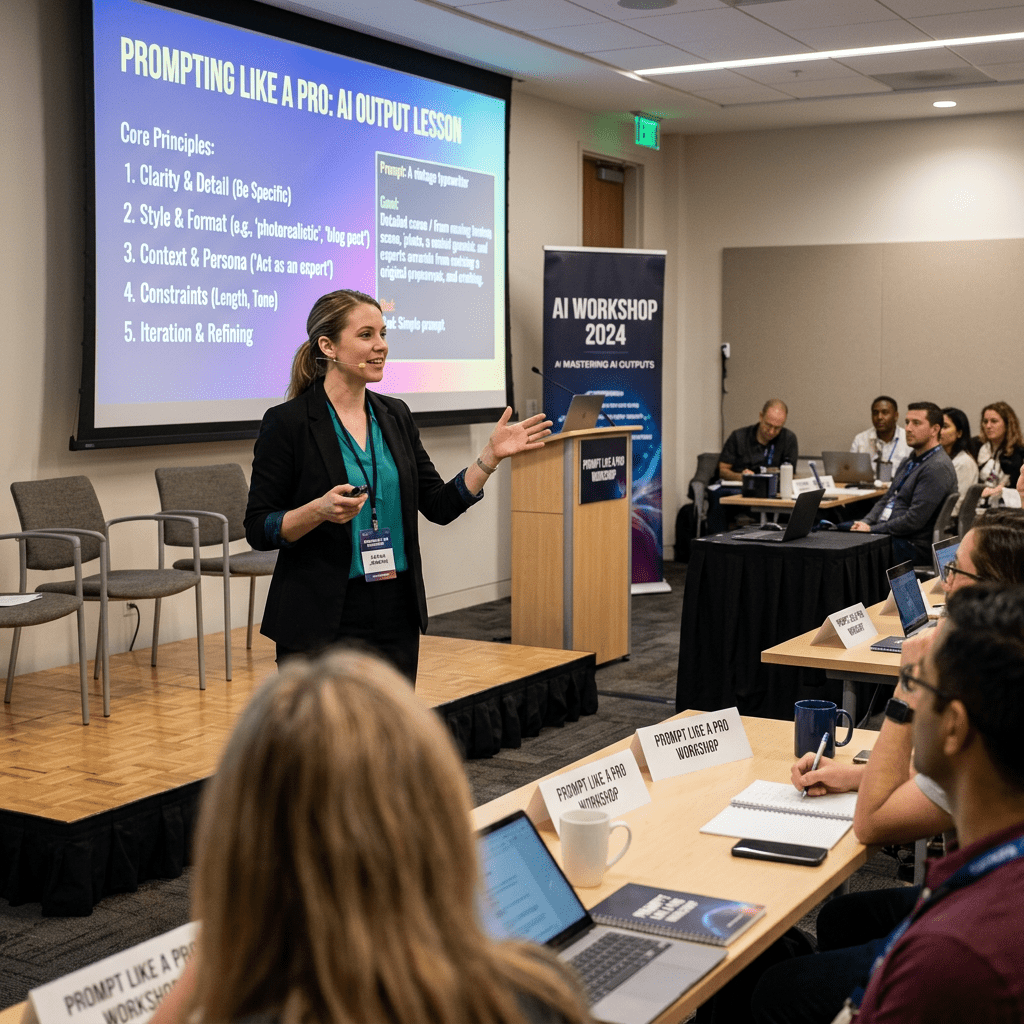
The lesson explains how to write effective AI prompts by including role, context, format, tone, and constraints. It also offers reusable prompt templates for common content tasks like outlines, captions, emails, repurposing, and brainstorming.
It emphasizes iterating on imperfect outputs with targeted feedback, examples, and revised constraints. Several sample prompts show how to guide AI toward clearer, more useful results while refining structure and style.
Lesson 4: Prompting Like a Pro — Getting Great AI Output
Powerful AI tools are only as good as the prompts you give them. In this lesson, titled Lesson 4: Prompting Like a Pro — Getting Great AI Output, you’ll learn how to write clear, effective prompts that consistently give you useful results, even if you’re just getting started with AI. We’ll look at what makes a strong prompt, simple templates you can reuse, and how to refine the output when it misses the mark.

The Anatomy of a Great Prompt
Most great prompts include the same core ingredients. When in doubt, think of your prompt as clear instructions to a smart but very literal assistant. The more specific you are, the better the results.
- Role: Tell the AI who to act as. This shapes expertise and style. Example: “Act as a senior content strategist…”
- Context: Explain the situation, audience, and goal. What are you trying to achieve, and who is it for?
- Format: Specify the output type: blog outline, email draft, social captions, bullet list, etc.
- Tone: Describe how it should sound: professional, playful, bold, empathetic, technical, or beginner-friendly.
- Length & constraints: Set boundaries like word count, number of options, or things to avoid.
You don’t need every element in every prompt, but including at least role, context, and format will dramatically improve what you get back.
Reusable Prompt Templates for Content Creators
Here are simple templates you can copy, paste, and adapt to your own projects.
- Blog post outline: “Act as a [role]. I’m creating a blog post about [topic] for [audience]. The goal is [goal]. Please create a [number]-section outline with brief bullet points for each section in a [tone] tone.”
- Social media captions: “You are a social media manager for [brand]. Write [number] caption ideas for [platform] about [topic]. Keep them [tone], include a call to action, and keep each under [character limit] characters.”
- Email draft: “Act as an email copywriter. Draft a [type of email: welcome, promo, newsletter] email about [offer or topic] for [audience]. Aim for [tone] and keep it around [word count] words. Include a clear subject line and preview text.”
- Content repurposing: “You are helping me repurpose content. Here is my original piece: [paste text]. Turn this into [desired format: a LinkedIn post, an email outline, 5 tweet ideas] while keeping the same core message and a [tone] voice.”
- Brainstorming ideas: “Act as a creative strategist. Generate [number] content ideas about [topic] for [audience]. Present them as a list with a short explanation of why each idea would be valuable.”
How to Iterate When the First Output Isn’t Great
It’s normal for the first AI response to be imperfect. Treat it as a rough draft, not the final answer. Iteration is where the real value appears.
- Give targeted feedback: Instead of “This is bad,” say, “Make this more concise,” or “Use less jargon and more everyday language.”
- Ask for alternatives: Request “3 more options,” “a different angle,” or “a more controversial version.”
- Provide examples: Paste a sample of content you like and say, “Match this style, but keep my structure.”
- Refine the structure: Ask the AI to first improve the outline, then rewrite the full piece based on the new structure.
- Clarify constraints: If it ignored length or tone, restate your limits and ask it to revise.
You don’t need to restart every time. Keep the same chat, and build on top of what’s already there so the AI learns your preferences within that conversation.
5 Example Prompts with Explanations
- “Act as a content strategist. I’m launching a new online course about AI tools for content creators aimed at freelancers and small business owners. Create a 7-part blog series outline to build awareness for the course. Use a clear, practical tone and show how each post leads naturally to the course.”
This works because it defines the role, audience, goal, format, and tone in one prompt. - “You are a social media manager for a personal brand. Write 5 Instagram captions promoting this blog post: [paste link or text]. Keep them friendly and conversational, include a simple call to action, and add 3–5 relevant hashtags for each.”
Here, you give context (what to promote), platform (Instagram), constraints (number of captions, hashtags), and tone. - “Act as an SEO copywriter. Rewrite the following headline options to be more compelling while keeping the keywords ‘AI tools’ and ‘content creators’: [paste headlines]. Give me 5 new options and explain in one sentence why each one works.”
This prompt clearly states the task (rewrite), the constraint (keep keywords), and asks for explanations to help you learn. - “You are helping me repurpose content. Here is a podcast transcript: [paste excerpt]. Turn this into a 600-word blog post with an engaging introduction, 3 key sections with subheadings, and a short conclusion. Use a professional but approachable tone.”
This guides the structure (intro, sections, conclusion), length, and tone. - “Act as my writing coach. Here is my draft LinkedIn post: [paste text]. First, list 3 strengths and 3 weaknesses of this post. Then, rewrite it to improve clarity and hook the reader in the first two sentences, keeping my original voice as much as possible.”
This uses the AI for feedback and improvement, not just rewriting, and breaks the task into steps.
Key Takeaways
- Great prompts usually include role, context, format, tone, and length or other constraints.
- Reusable templates for outlines, captions, emails, repurposing, and brainstorming can speed up your workflow.
- Don’t stop at the first output—iterate with specific feedback, examples, and clear constraints.
- Treat AI as a collaborative partner that drafts, refines, and experiments with you, not a one-click magic solution.



Leave a Reply