
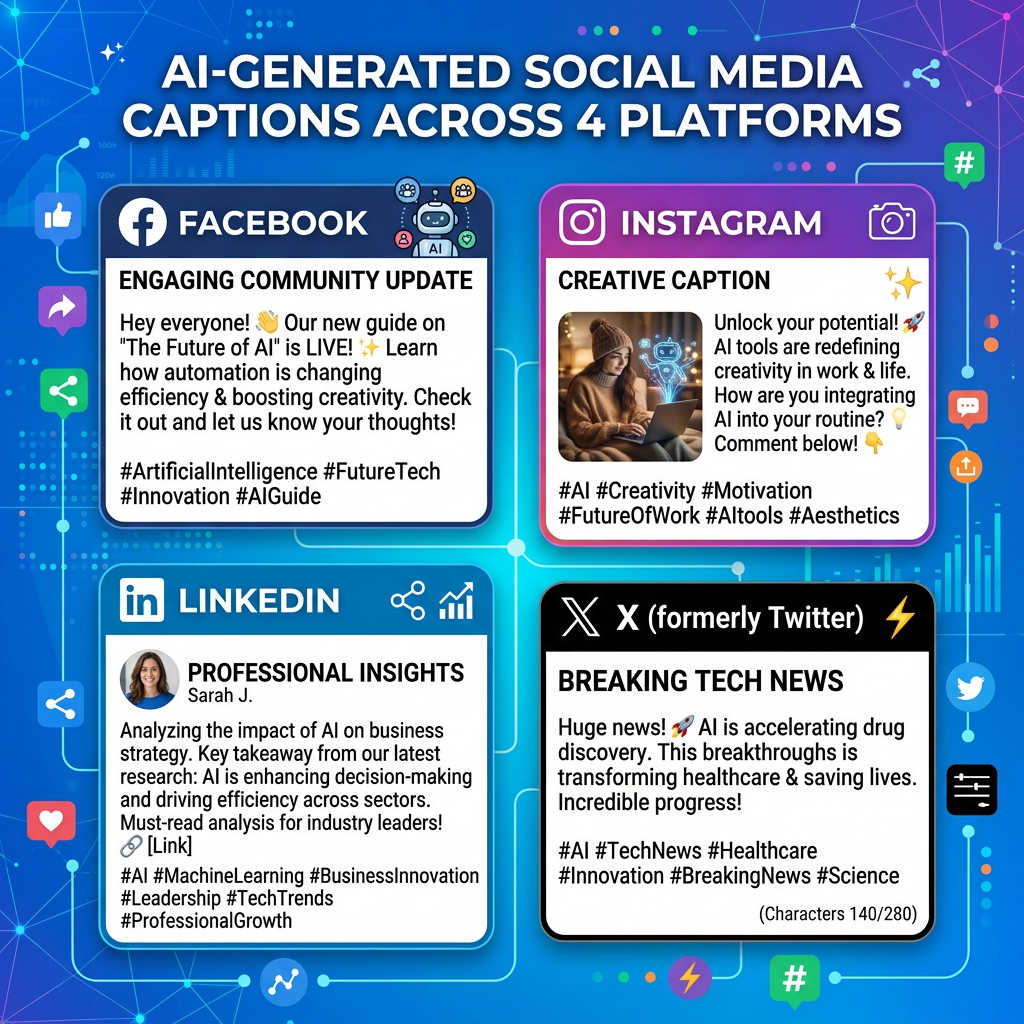
The lesson explains how to use AI to write social media captions for Instagram, Twitter/X, LinkedIn, and Facebook. In Lesson 3: Writing Social Media Captions Using AI, you’ll discover how to start with a clear goal, specify platform rules, and adjust tone to match each network’s style.
It also recommends editing AI output to sound more natural, accurate, and on-brand. The examples focus on promoting a beginner photography blog post across different platforms.
Lesson 3: Writing Social Media Captions Using AI
In this lesson, you’ll learn how to use AI tools to write effective social media captions for Instagram, Twitter/X, LinkedIn, and Facebook. As you follow Lesson : Writing Social Media Captions Using AI, you’ll discover key techniques to apply. We’ll cover how to prompt AI for each platform, how to adapt the tone, and how to lightly edit AI output so it still sounds like you.

1. Start with a clear goal
Before you ask AI to write a caption, clarify what you want the post to do. As part of this process, revisiting the concepts from Writing Social Media Captions with AI in Lesson proves especially helpful.
- Promote a new blog post or video
- Announce a product, offer, or event
- Share a behind-the-scenes moment
- Start a conversation or get feedback
Tell the AI your goal in one sentence. This gives it direction and helps it choose the right style and call to action.
2. Prompting AI for platform-specific captions
Each platform has its own style and limits. Incorporating the advice from Lesson , when writing captions for social media using AI, be sure your prompts specify the platform and any constraints (like length or number of hashtags).
Instagram allows longer captions and thrives on storytelling, emojis, and a few focused hashtags. Drawing on Lesson ‘s approach to writing social media captions, remember to include storytelling elements when using AI.
Example prompt:
"Write an Instagram caption promoting my new blog post about beginner photography tips. Target: hobbyists. Tone: friendly and encouraging. Include a short hook, 2–3 sentences, and 3 relevant hashtags. No more than 150 words."

Example AI output:
"Still shooting on auto mode? 📸 It might be holding your photos back. My new blog post breaks down beginner-friendly camera settings so you can feel confident behind the lens. Ready to switch to manual and actually know what you’re doing?

Read the full guide on the blog today.

#BeginnerPhotography #PhotographyTips #LearnToShoot"
Twitter/X
Twitter/X works best with short, punchy text. Consider the guidance in Writing Social Media Captions Using AI from Lesson when deciding how brief to make your captions.
Example prompt:
"Write a Twitter/X post announcing the same photography blog post. Max 230 characters. Tone: bold but helpful. Include 1 hashtag and a call to action to click the link. No emojis."

Example AI output:
"Still stuck in auto mode? Take control of your camera and your photos. New on the blog: beginner-friendly settings that actually make sense. Dive in now. #PhotographyTips"
LinkedIn captions are more professional and often slightly longer, with a clear takeaway or insight. After practicing the techniques in Lesson : Writing Social Media Captions Using AI, you’ll find it easier to craft such captions with AI tools.
Example prompt:
"Write a LinkedIn post about my new blog on beginner photography tips for marketing professionals who create content. Tone: professional but approachable. 3–5 short sentences. Add a soft call to action and no more than 2 hashtags."

Example AI output:
"High-quality visuals are no longer optional in marketing—they’re expected. I’ve put together a beginner-friendly guide to camera settings so content creators can produce sharper, more intentional photos without hiring a photographer for every shoot.

If you or your team are just getting started with in-house photography, this resource might help. #ContentMarketing #Photography"
Facebook supports a conversational tone and slightly longer captions with context and a question to encourage comments. Keeping strategies from Lesson 3: Writing Social Media Captions Using AI in mind ensures your prompts are effective.
Example prompt:
"Write a Facebook caption promoting my new beginner photography blog post. Audience: small business owners. Tone: conversational and supportive. 3–4 sentences, 1 emoji, end with a question, and add 2 hashtags."

Example AI output:
"Running a small business usually means you’re also the photographer. But learning your camera doesn’t have to be overwhelming. I just published a simple guide to the key settings you should know so your product and brand photos look more polished. 😊

What’s the biggest challenge you face when taking photos for your business? #SmallBusinessTips #DIYPhotography"
3. Adapting tone for each platform
Use short tone descriptions in your prompts so AI can adjust its style. For example, after you complete Writing Social Media Captions with AI in Lesson 3, you will know how to adjust the tone for different platforms when using these tools.
- Instagram: “friendly, playful, emoji-friendly”
- Twitter/X: “punchy, direct, no emojis”
- LinkedIn: “professional, insightful, confident”
- Facebook: “warm, conversational, community-focused”
You can also paste a sample caption you already like and say, “Match this tone.” This helps the AI learn your voice, and links back to what you practiced in Lesson 3: Writing Social Media Captions Using AI.
4. Editing AI output to sound human
AI captions are a strong starting point, but you should always review and tweak them. Consider the steps outlined in Writing Social Media Captions Using AI (Lesson 3) to make your edits more effective.
- Personal details: Add specific examples, timelines, or references from your own work.
- Natural phrasing: Read it out loud and simplify any stiff or overly formal sentences.
- Brand voice: Swap in your typical phrases, emojis, or taglines.
- Accuracy: Check any claims, numbers, or promises.
Think of AI as your brainstorming partner. It helps you avoid the blank page, but you stay in control of the message. This underscores a main takeaway from the Lesson 3 module on Writing Social Media Captions Using AI.
Key Takeaways
- Always start with a clear goal for each post before you prompt the AI. This is emphasized in Lesson 3: Writing Social Media Captions Using AI and helps you get better results.
- Tell the AI which platform you’re writing for and set basic rules (length, hashtags, emojis).
- Adjust the tone to match the platform and your brand using short tone descriptions.
- Always edit AI-generated captions so they include your personality, context, and accurate details.



Leave a Reply