
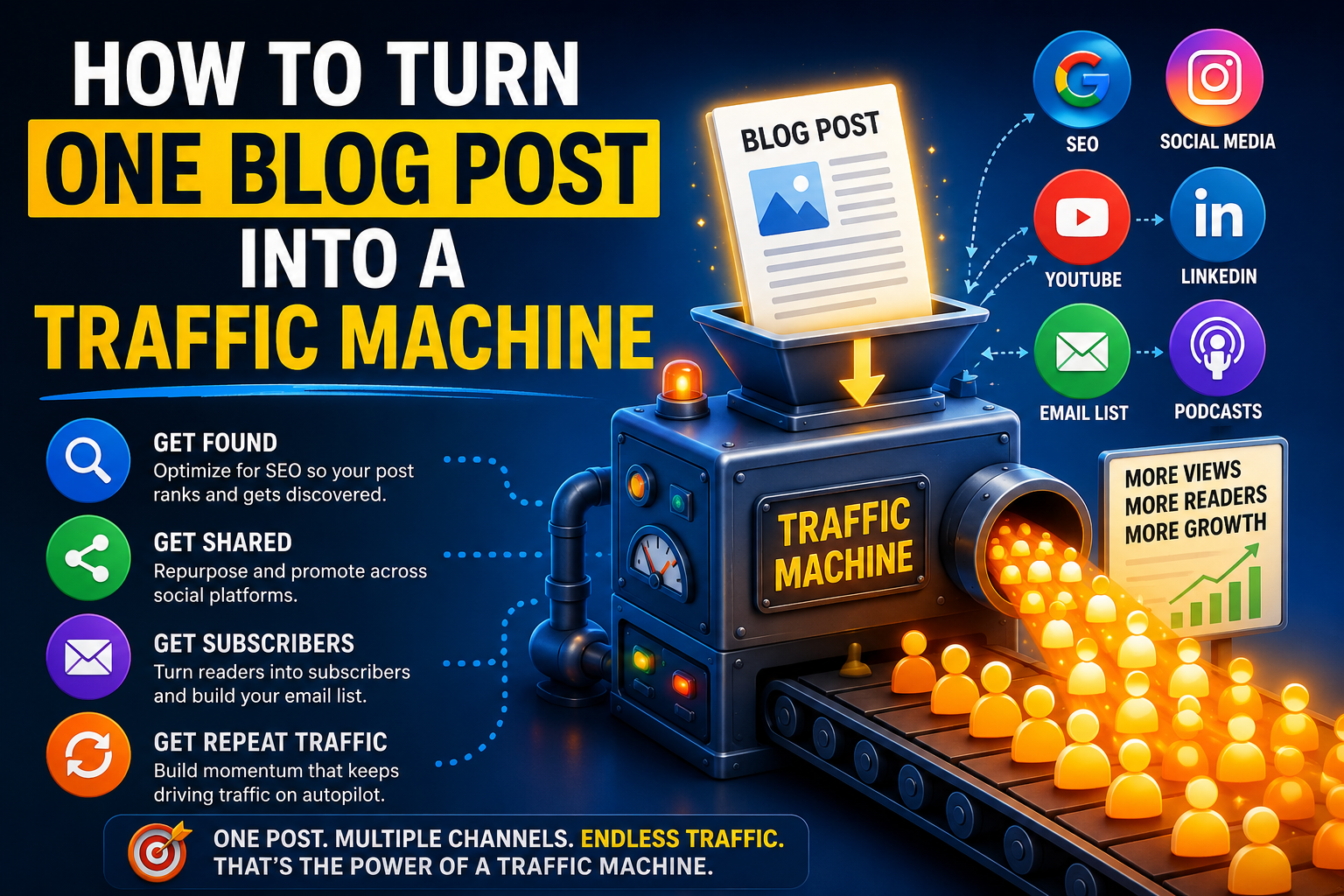
How To Turn One Blog Post Into A Traffic Machine
If you’re only getting a trickle of views from WordPress Reader, you’re sitting on untapped traffic.
In this post, I’ll show you how to turn a single article into a mini “traffic machine” that keeps sending readers to your site long after you hit publish. You’ll discover exactly How To Turn One Blog Post Into A Traffic Machine and leverage that power for your own blog.[wordpress]
![Step 1: Start With A Problem Readers Feel
The WordPress Reader feed moves fast, so your first 2–3 lines have to hit a nerve and make people stop scrolling.[clarkwp.wordpress]
Call out a specific frustration, use everyday language, and promise a clear win if they keep reading.[elementor]
Ask yourself before you publish: “Would I tap ‘Read more’ on this intro if it wasn’t my blog?”
If the answer is no, rewrite until the problem and promise are unmistakable.[creativenatives]
Step 2: Use Tags Like Smart Keywords
Reader recommendations look at your title, content, categories, and especially your tags to decide who should see your post.[wordpress]
Skip vague tags like “life” or “thoughts” and choose 5–10 specific tags your ideal reader would actually follow or search.[elementor]
Examples:
Instead of “marketing,” use “email marketing,” “affiliate marketing,” “content strategy.”
Instead of “crypto,” use “bitcoin,” “crypto trading,” “blockchain basics.”[wpdelta]
Step 3: Make Your Post Skimmable
Most Reader visitors scan before they commit, so your formatting is a growth lever, not an afterthought.[clarkwp.wordpress]
Use short paragraphs (2–4 sentences), clear headings, bullets, and bold text to highlight key ideas.[creativenatives]
Quick checklist before you publish:
Every screen of content shows at least one heading or bullet.
Important phrases are in bold so scanners can “get the gist” in 10 seconds.
No wall-of-text paragraphs.[onlinevisibilityacademy]
Step 4: Add One Visual That Earns Its Spot
Reader shows a small excerpt and often a thumbnail, so one strong image can dramatically increase clicks.[wordpress]
Use a clean featured image or simple banner that clearly matches the topic instead of generic stock photos.[onlinevisibilityacademy]
If you can, overlay a short promise on the image like “Turn 1 Post Into 10 Traffic Sources” so readers instantly know the benefit.[onlinevisibilityacademy]
Step 5: Invite Real Interaction (Not Empty Likes)
The Reader algorithm pays attention to likes, comments, and how people engage with your content.[wordpress]
End your post with a focused question that is easy to answer instead of a vague “What do you think?”[creativenatives]
For example:
“Which platform sends you the most consistent traffic right now: Reader, search, or social?”
“What’s the hardest part about getting your posts seen?”[wpdelta]
Step 6: Turn One Post Into Many Clicks
Don’t treat this post as a dead end; every Reader visit is a chance to send people deeper into your world.[onlinevisibilityacademy]
Add 2–3 internal links to related posts and one clear call to action at the end (newsletter, lead magnet, or a “Start Here” page).[wordpress]
Over time, Reader will also surface “related posts” that are popular and closely matched in topic, so tightly connected content is an advantage.[wordpress]](https://i0.wp.com/rtateblogspot.com/wp-content/uploads/2026/06/52d5810b-db07-424e-aec2-5be4182efe94.png?resize=250%2C375&quality=79&ssl=1)
Step 1: Start With A Problem Readers Feel
The WordPress Reader feed moves fast, so your first 2–3 lines have to hit a nerve and make people stop scrolling.[clarkwp.wordpress]
Call out a specific frustration, use everyday language, and promise a clear win if they keep reading.[elementor]
Ask yourself before you publish: “Would I tap ‘Read more’ on this intro if it wasn’t my blog?”
If the answer is no, rewrite until the problem and promise are unmistakable.[creativenatives]
Step 2: Use Tags Like Smart Keywords
Reader recommendations look at your title, content, categories, and especially your tags to decide who should see your post.[wordpress]
Skip vague tags like “life” or “thoughts” and choose 5–10 specific tags your ideal reader would actually follow or search.[elementor]
Examples:
- Instead of “marketing,” use “email marketing,” “affiliate marketing,” “content strategy.”
- Instead of “crypto,” use “bitcoin,” “crypto trading,” “blockchain basics.”[wpdelta]
Step 3: Make Your Post Skimmable
Most Reader visitors scan before they commit, so your formatting is a growth lever, not an afterthought.[clarkwp.wordpress]
Use short paragraphs (2–4 sentences), clear headings, bullets, and bold text to highlight key ideas.[creativenatives]
Quick checklist before you publish:
- Every screen of content shows at least one heading or bullet.
- Important phrases are in bold so scanners can “get the gist” in 10 seconds.
- No wall-of-text paragraphs.[onlinevisibilityacademy]
Step 4: Add One Visual That Earns Its Spot
Reader shows a small excerpt and often a thumbnail, so one strong image can dramatically increase clicks.[wordpress]
Use a clean featured image or simple banner that clearly matches the topic instead of generic stock photos.[onlinevisibilityacademy]
If you can, overlay a short promise on the image like “Turn 1 Post Into 10 Traffic Sources” so readers instantly know the benefit.[onlinevisibilityacademy]
Step 5: Invite Real Interaction (Not Empty Likes)
The Reader algorithm pays attention to likes, comments, and how people engage with your content.[wordpress]
End your post with a focused question that is easy to answer instead of a vague “What do you think?”[creativenatives]
For example:
- “Which platform sends you the most consistent traffic right now: Reader, search, or social?”
- “What’s the hardest part about getting your posts seen?”[wpdelta]
Step 6: Turn One Post Into Many Clicks
Don’t treat this post as a dead end; every Reader visit is a chance to send people deeper into your world.[onlinevisibilityacademy]
Add 2–3 internal links to related posts and one clear call to action at the end (newsletter, lead magnet, or a “Start Here” page).[wordpress]
Over time, Reader will also surface “related posts” that are popular and closely matched in topic, so tightly connected content is an advantage.[wordpress]



Leave a Reply