
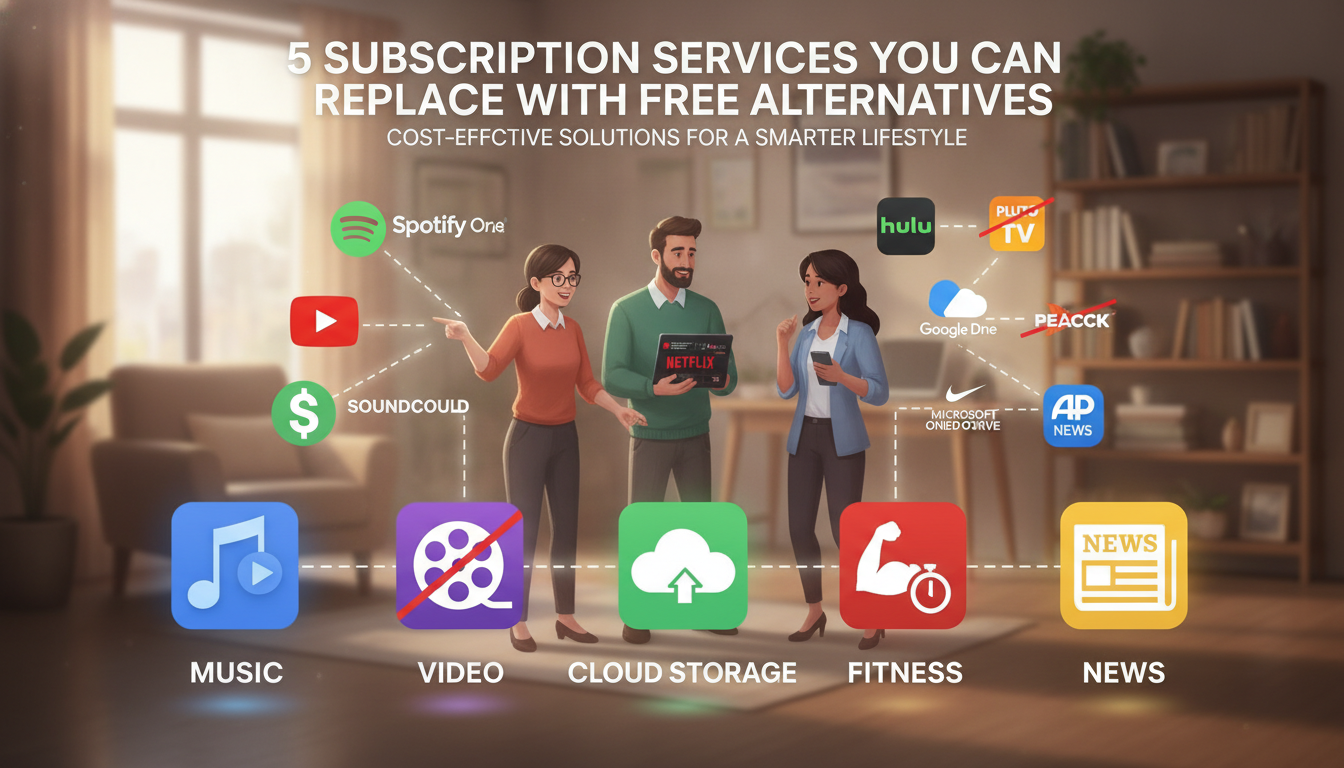
Have you ever felt the weight of monthly bills piling up? Recurring payments can sneak up on anyone, leaving little room for flexibility in your budget. It’s easy to overlook these costs until they become a burden. What if there was a way to break free from this cycle by discovering 5 Subscription Services You Can Replace With Free Alternatives?
In this article, we will explore how to eliminate unnecessary fees by introducing you to several capable apps. These tools are not only effective but also respect your privacy and give you control over your data. Each option we discuss rivals its paid counterparts, often matching or even exceeding their features.
From office suites to media streaming platforms, you’ll discover how to manage your digital life without ongoing costs. This guide will provide practical advice, including setup tips and the benefits of customization. By the end, you’ll have a clear roadmap for reducing your expenses while maintaining functionality.
Join us on this journey toward a smarter, more cost-effective way of managing the services you rely on every day.
Key Takeaways
- Learn how to cut recurring payments that strain your budget.
- Discover open-source apps that rival paid services.
- Understand the importance of privacy and data control.
- Find practical advice for setup and long-term benefits.
- Explore customization options and community support.
Why You Should Consider Free Alternatives to Subscription Services
Is your budget feeling the strain of constant payments? The subscription economy has transformed how you pay for software. It has turned one-time purchases into endless monthly charges that accumulate faster than you expect.
Many people overlook these costs until they add them up. When you do, the total can be a shocking number. Thankfully, there’s a growing market of free software options available. These alternatives offer a way to escape the cycle of recurring payments.
Free and open-source software provides fully functional applications without requiring your credit card. This means you can enjoy essential features without locking yourself into billing cycles. Beyond the obvious financial savings, these alternatives grant you true ownership and control over your digital tools.
When you choose open-source software, the code is publicly available. This transparency means that security vulnerabilities and privacy violations cannot be hidden. Additionally, you gain flexibility that proprietary services simply cannot match. You can customize the software to fit your specific workflow.
The open-source community continually improves these tools through collaborative development. This means updates are driven by user needs rather than shareholder demands. Switching to free options does not mean sacrificing quality. In many cases, these apps offer a more streamlined, privacy-respecting experience than their paid counterparts.
Moreover, you eliminate the risk of sudden price hikes, feature removals, or service shutdowns common with subscription platforms. The initial time investment in setting up these alternatives pays for itself many times over. Once you cancel those monthly payments, you can regain control of your digital life.
5 Subscription Services You Can Replace With Free Alternatives
Are your ongoing costs draining your wallet every month? If so, it’s time to explore some remarkable options that can save you money while providing similar features to popular paid services. Below, we’ll dive into five key categories where you can find powerful, free tools to enhance your digital experience.
1. Office Suites: ONLYOFFICE and LibreOffice Instead of Microsoft 365
The first service to consider is Microsoft 365. You can switch to ONLYOFFICE, which uses the same OOXML file format as Microsoft Office. This ensures that your documents, spreadsheets, and presentations open without formatting issues. ONLYOFFICE features a familiar ribbon-style interface, making the transition nearly seamless.
Additionally, it includes dedicated apps for documents, spreadsheets, presentations, PDFs, forms, and diagrams across multiple platforms, including Windows, macOS, Linux, Android, and iOS.
LibreOffice is another powerful alternative. Built around the OpenDocument format, it offers a comprehensive suite maintained by The Document Foundation. It includes a word processor, spreadsheet manager, slideshow creator, vector graphics editor, math formula generator, and database management program.
2. Media Streaming: Jellyfin as a Plex and Netflix Alternative
For media streaming, Jellyfin serves as an excellent replacement for both Plex and Netflix. This open-source tool allows you to build a personal media server that streams your own movies, TV shows, and music files to any device. Jellyfin organizes your content into a clean, Netflix-style interface.
What’s more, Jellyfin provides every feature for free that Plex locks behind a paywall, including remote streaming, hardware transcoding, offline downloads, and the ability to skip intros and credits. It also boasts a large plugin ecosystem for added customization.
3. Cloud Storage: Nextcloud to Replace Google Drive or Dropbox
Next, consider Nextcloud as a replacement for Google Drive, Dropbox, or OneDrive. This powerful tool allows you to sync, store, and share files across all your devices while keeping your data on your own hardware. This way, you maintain control over your information.
Nextcloud goes beyond simple cloud storage. Its app ecosystem turns it into a full productivity hub, featuring calendars, contacts, password management, Kanban boards, video calls, photo management, and collaborative document editing through integrated office suites.
4. Music Streaming: OuterTune and NewPipe for Ad-Free Listening
If you’re looking for an ad-free music experience, OuterTune is an excellent choice. It offers a completely free service by drawing from YouTube Music’s vast library. With features like background playback, automatic volume normalization, and personalized playlists, you can enjoy your favorite tunes without interruptions.
NewPipe is another fantastic option, serving as a lightweight YouTube client. It doesn’t require a Google account, allowing for background playback and Picture-in-Picture functionality. You can even download video and audio directly to your device storage for offline enjoyment.
5. Password Management and Notes: Bitwarden and Joplin Over Paid Apps
Lastly, for password management, Bitwarden allows you to store unlimited logins and sync them across unlimited devices completely free. Its features include smooth autofill, biometric unlock, and a secure password generator. Regular security audits ensure that your data remains safe.
For note-taking, Joplin excels with its ability to handle a massive number of notes organized into notebooks and tags. Using Markdown formatting keeps your notes accessible, and it supports end-to-end encryption, ensuring your information stays private.

How Open-Source Apps Can Enhance Your Overall Digital Experience
Are you tired of feeling tied down by monthly fees that seem to multiply? Open-source apps offer a refreshing alternative that not only saves money but also enhances your overall experience. These tools are designed to work for you, providing features that fit your needs without the constraints of traditional business models.
One of the standout benefits of open-source software is its seamless cross-platform access. You can start a project on your smartphone and continue it on your laptop without any hassle. This flexibility allows you to choose your preferred devices and platforms, ensuring a smooth workflow.
Seamless Cross-Platform Access and Synchronization
Synchronization across devices is under your control. Whether you opt for a self-hosted server or a cloud provider of your choice, you won’t be forced into a specific company’s ecosystem. This level of freedom means you can work the way you want.
Customizability and Community Support
Customizability is a hallmark of open-source software. You can tweak interfaces, add plugins, and modify functionalities to match your workflow perfectly. Additionally, the community support for these tools is robust. Active forums and developer communities provide assistance, create extensions, and fix bugs quickly.
Examples of Additional Useful Open-Source Tools
Consider exploring these additional open-source tools:
| Tool | Description | Key Features |
|---|---|---|
| Krita | A professional-grade art creation and photo editing application. | Advanced layering, color management, vector tools. |
| DaVinci Resolve | A powerful video editing program available for multiple platforms. | Professional editing features, no strings attached. |
| Fossify Gallery | An offline photo management app for Android. | Password protection, built-in editor, RAW file support. |
These tools collectively demonstrate that the open-source ecosystem has matured. You can build a comprehensive productivity and creative workflow without incurring any monthly fees. The experience of using software that respects your intelligence and privacy is fundamentally different from being constantly upsold and tracked by subscription-based platforms.
Once you experience the freedom and control of open-source options, the idea of returning to restrictive, fee-based services becomes increasingly difficult to justify.
Setting Up Your Own Media and Cloud Servers
Are you looking for ways to take control of your digital entertainment and storage? Setting up your own media and cloud servers can be a rewarding experience. Not only does it save you money, but it also gives you complete control over your content. Here’s how to get started.
Running Jellyfin: Your Private Media Server
Setting up Jellyfin as your private media server begins with installing the server software. You can run it on Linux, Windows, macOS, or even Docker. Once installed, point it to your media folders. Jellyfin will scan your files, download posters and metadata, and organize everything into a Netflix-style library.
Jellyfin streams your movies, TV shows, and music on demand to phones, tablets, smart TVs, and browsers. This gives you complete control over your content without any monthly subscription fees or content restrictions.
Getting Started with Nextcloud for Personal Cloud Storage
Getting started with Nextcloud for personal cloud storage involves deploying the server on Linux or using Docker on Windows or macOS. After that, install cross-platform client apps on all your devices. This allows for seamless file syncing, sharing, and access from anywhere.
Nextcloud’s app ecosystem extends far beyond file storage. You can manage calendars, contacts, passwords, notes, photos, and even collaborate on documents in real-time through integrated office tools.
Recommended Hardware and Tools for Home Server Setup
For home server hardware, you don’t need expensive equipment. An old PC, a dedicated NAS device, or even a Raspberry Pi running 24/7 can serve as an excellent foundation for your self-hosted services.
Consider the Seagate IronWolf NAS hard drives. They offer a three-year warranty and three years of data recovery services, with a workload rating of 180TB per year, making them reliable for continuous operation.
The UGREEN NASync DXP2800 features an Intel 12th Gen N-Series CPU. This device transforms how you store and access data across smartphones, laptops, tablets, and TVs anywhere with network access.
Running your own servers means your files, media, and personal data never leave your control. This eliminates the privacy concerns and terms-of-service risks associated with commercial cloud and streaming platforms.
The initial setup time of a couple of hours on a weekend is a small investment compared to years of monthly subscription payments. The experience of complete digital independence is genuinely liberating.
Once your home server is running, you gain a completely free, fully featured alternative to multiple paid services simultaneously. This setup is accessible from any device you own without restrictions or additional fees.

Privacy, Security, and Data Control with Free Alternatives
Are you seeking better ways to safeguard your personal information in a digital world? Open-source software provides a robust framework for protecting your data. These alternatives prioritize transparency, ensuring that your privacy is respected.
How Open-Source Software Protects Your Data
Open-source applications allow independent security researchers to audit their code. This means any potential backdoors or vulnerabilities can be identified and addressed quickly. Unlike proprietary options, which often monetize personal information, open-source tools collect only essential data needed for functionality.
Using Bitwarden for Secure, Cross-Device Password Management
Bitwarden stands out as a premier option for password management. It offers secure storage and syncing of unlimited logins across devices without any subscription fees. Regular security audits help maintain its integrity, while features like biometric unlock and a built-in password generator enhance usability.
Transitioning to Bitwarden is straightforward. It can import password databases from most major competitors, ensuring you don’t lose any saved credentials in the process.
Keeping Your Notes and Media Private with Joplin and Fossify Gallery
Joplin is an excellent choice for note-taking, offering end-to-end encryption (E2EE). This means your journal entries and ideas remain private, accessible only to you. It syncs with your preferred cloud service, like Nextcloud or Dropbox, so you avoid being locked into a specific subscription.
Fossify Gallery is a breath of fresh air for managing photos. This app displays local media entirely offline, ensuring no data is sent to servers. It features password-protected folders and a built-in editor, allowing you to manage your media without intrusive ads or pop-ups.
Additionally, NewPipe enhances your video streaming experience by storing subscriptions locally on your device. This keeps your viewing habits private and free from advertising profiles.
By choosing these open-source options, you create a comprehensive ecosystem that respects your privacy. Your passwords, notes, and media consumption habits remain protected from corporate surveillance and data brokers.
Challenges and Considerations When Switching from Subscriptions to Free Apps
Transitioning to new apps can feel daunting, especially when leaving behind familiar subscriptions. While the benefits of free software are significant, there are some challenges to consider during the switch.
First, the initial setup process for self-hosted alternatives like Jellyfin and Nextcloud requires a time investment of a couple of hours. This is best tackled on a weekend when you can focus without interruptions. There is a learning curve associated with deploying server software, configuring network settings, and organizing your media files. However, numerous online guides, forums, and video tutorials make the process accessible even for beginners.
Initial Setup and Learning Curve
For most people, ONLYOFFICE will provide everything they need. Yet, power users who depend on Microsoft-specific features, such as VBA macros or advanced Excel functions, may encounter compatibility limitations. This can be a hurdle for those accustomed to specific functionalities.
Limitations Compared to Paid Services
Another challenge arises with Jellyfin’s app ecosystem. While its Android, iPhone, Android TV, and tvOS applications are solid, they may not be as polished as Plex’s on certain platforms like smart TVs and gaming consoles. This can lead to a less seamless streaming experience for some users.
Nextcloud’s real-time collaboration tools, including Nextcloud Office and Talk, function adequately but lack the instant responsiveness and polish of Google Docs or Google Meet. If your workflow relies heavily on live co-editing, this may be a consideration.
Community Support and Updates
Joplin’s note-taking interface is more utilitarian than feature-rich competitors like Evernote or Notion. However, it compensates with Markdown-based formatting, end-to-end encryption, and complete freedom from proprietary lock-in.
Community support for open-source projects is generally excellent. Active forums, detailed wikis, and responsive developers can help you troubleshoot issues. However, you should expect to do some troubleshooting yourself rather than contacting a dedicated support team.
Updates for open-source software are driven by community needs and contributions rather than corporate roadmaps. This means new features may arrive more slowly but are typically more thoughtfully implemented and free of monetization schemes.
The trade-offs involved in switching to free options are real but manageable. For most users, the benefits of cost savings, privacy, and control far outweigh the occasional inconvenience. Approaching the transition with patience and a willingness to learn will make the experience rewarding.
Once everything is configured, these tools often run reliably for years with minimal maintenance. The freedom gained from moving away from subscriptions can be a truly liberating experience.
Conclusion
Imagine a world where your digital tools are tailored to your needs without draining your finances. The journey into self-hosting and open-source apps opens up a realm of possibilities. By choosing these options, you not only save money but also gain control over your data and experience.
Each alternative discussed here allows for full ownership, eliminating the stress of recurring payments. The time spent setting up your new tools pays off quickly as you cancel those monthly fees. The freedom of managing your own software is empowering and can transform your relationship with technology.
Start with one of these alternatives this weekend. As you integrate it into your routine, you’ll see how it enhances your workflow. Your wallet and privacy will thank you for making the switch.
FAQ
What are some popular free alternatives to paid office suites?
Popular options include ONLYOFFICE and LibreOffice, which offer powerful tools for document creation, spreadsheets, and presentations without the cost of Microsoft 365.
How can I set up my own media server?
You can run Jellyfin to create a private media server. It allows you to stream your movies and shows without relying on subscription services.
What are the benefits of using open-source software?
Open-source software often provides better privacy, control, and flexibility. Users can customize the software to fit their needs and benefit from community support.
Is there a way to manage my passwords for free?
Yes, Bitwarden is a great option for secure password management across devices, offering both free and premium features.
How do I ensure my cloud storage is secure?
Using Nextcloud for personal cloud storage can enhance security. It allows you to keep your data private and under your control.
Are there any limitations to using free alternatives?
While free options can be powerful, they may lack some features compared to paid services. Users might also encounter a learning curve during the initial setup.
Can I access my files from multiple devices with free cloud storage?
Yes, many free cloud storage solutions, like Nextcloud, offer seamless cross-platform access and synchronization, allowing you to manage files easily from different devices.




Leave a Reply